
Made with Base44 Superagent

KJB Reader - SidePanel
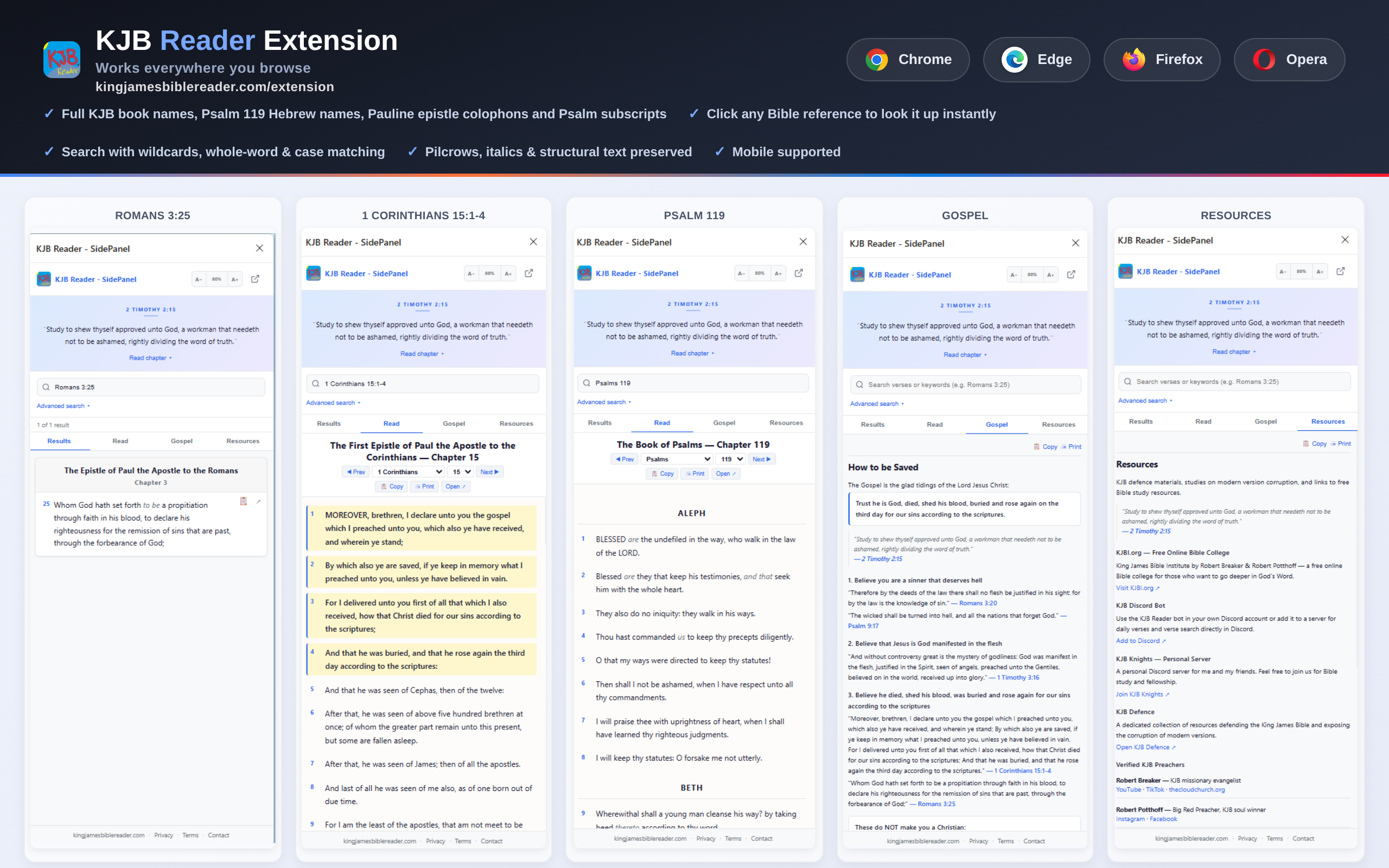
Desktop & Edge Mobile — Available for Chrome, Edge, Brave, Firefox, and Opera on desktop. Also tested on Microsoft Edge mobile. Other mobile browsers may not support browser extensions.
Read, search, and look up Bible verses from any web page.



See It In Action
Try These Examples
Install the extension, then click any reference below to look it up instantly in the side panel.
Single Verses
Ephesians 1:13
Romans 3:25
Hebrews 9:12
Verse Ranges
1 Corinthians 15:1-4
Romans 3:23-25
Ephesians 2:8-9
Whole Chapters
Psalm 23
Isaiah 53
Psalm 119
Hebrews 13
Chapter Ranges
Romans 1-3
Ephesians 1-2
Features
Instant Verse Lookup
Auto-detect Bible references on any web page. Verses become clickable links that open in the sidebar.
Read the KJB
Full King James Bible (Pure Cambridge Edition) with chapter navigation, verse numbers, and pilcrows.
Right-Click Search
Select any text on a page, right-click, and look it up in the KJB sidebar instantly.
Advanced Search
Wildcards (? and *), whole-word match, case sensitivity, and Old/New Testament filtering.
Gospel Tab
Built-in salvation guide with 1 Corinthians 15:1-4, Romans 3:25, and verified KJB preachers.
Resources Tab
Quick links to KJBI.org, Discord bot, KJB defence materials, and ministry websites.
Installation Instructions
- 1Download the .zip file using the button above
- 2Extract/unzip the downloaded file
- 3Open Chrome and go to
chrome://extensions - 4Enable ‘Developer mode’ (toggle in top right)
- 5Click ‘Load unpacked’ and select the extracted folder
- 6The KJB SidePanel icon will appear in your toolbar